Search our products, blog, webinars, papers and projects, then see how simulationHub can help.
Tip: describe it in your own words, the way you would ask an engineer, e.g. “How can I predict valve cavitation?” or “I am working on LEED compliance”. We pick out the key words and search everything we have.
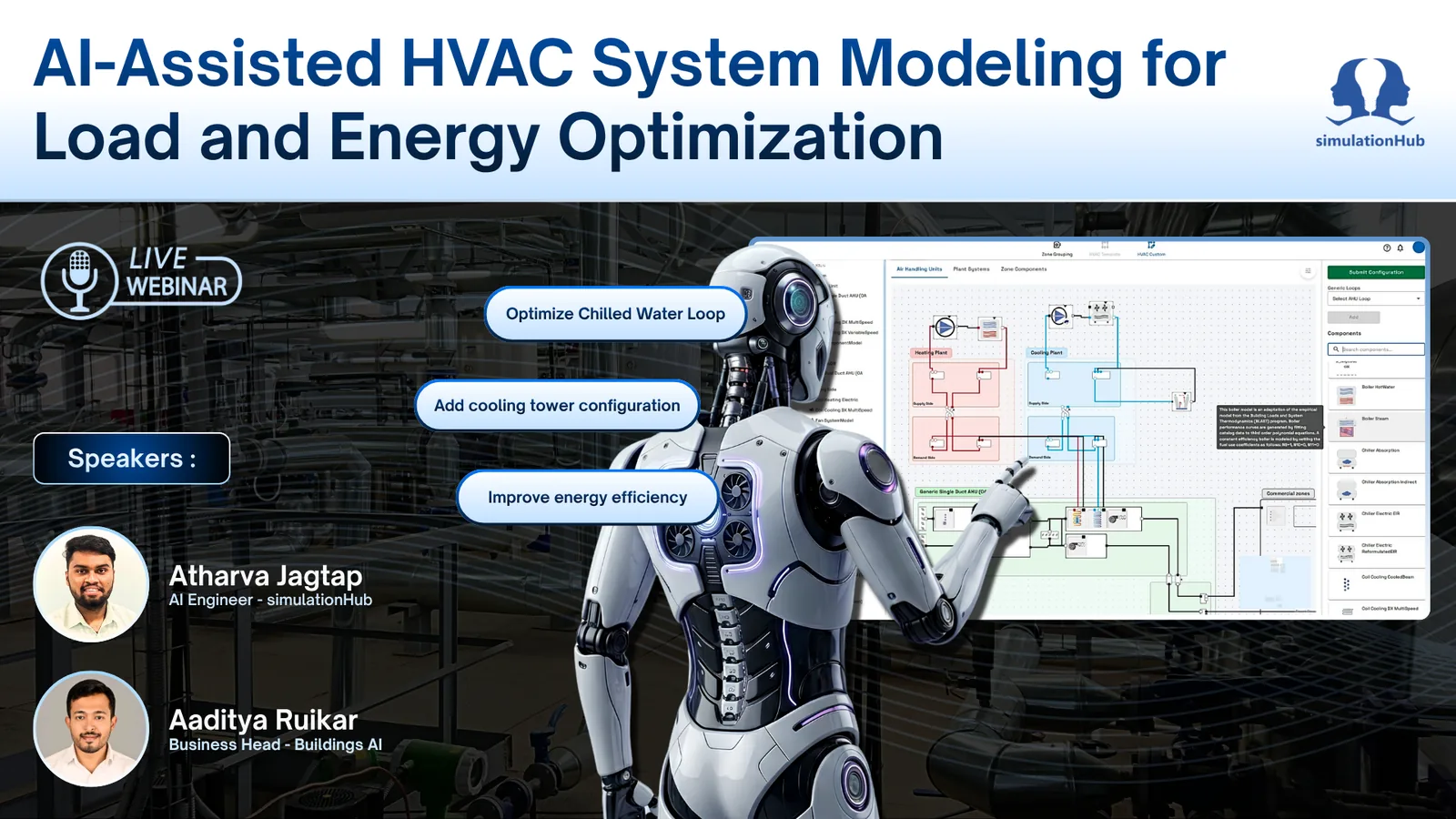
AI-Assisted HVAC Systems Modeling for Load and Energy Optimization using Buildings AI
Watch this webinar to learn how the HVAC Canvas AI Assistant in Buildings AI enables automated HVAC network modeling through a conversational, agentic workflow — eliminating manual configuration and delivering faster, more efficient system design without the complexity of traditional tools.
Building on the foundation introduced in Part 1, this webinar takes the Buildings AI HVAC Canvas experience a step further. Designing and modeling HVAC systems has traditionally been a time-intensive process - requiring engineers to manually configure components, adjust system properties, and navigate between tools to achieve accurate results.
This webinar introduces the next evolution of HVAC Canvas within Buildings AI - the HVAC Canvas AI Assistant. Built directly within the same Buildings AI canvas environment, the AI Assistant extends the platform's capabilities by introducing a conversational, agentic workflow that automates HVAC system modeling. Engineers can now build, modify, and refine systems through simple commands, eliminating the need for manual component configuration and repetitive design tasks.
This technical webinar showcased how Buildings AI and its HVAC Canvas AI Assistant leverage template-based generation, automated network orchestration, and real-time canvas synchronization to streamline the modeling process. By shifting from manual design to an AI-assisted workflow in Buildings AI, engineers can significantly reduce time spent on network building and focus on what matters most - optimizing system performance and making informed design decisions.
What We Covered
Understand how the HVAC Canvas AI Assistant operates as an integrated agentic interface within the design canvas.
Learn how template-based generation and conversational commands replace manual component configuration for faster network modeling.
Explore how automated network orchestration and real-time canvas synchronization work together to keep your model accurate and up to date.
Who should watch?
HVAC Engineers and MEP Consultants looking to streamline network modeling and reduce time spent on manual design tasks.
Energy Modelers and Building Performance Professionals focused on improving workflow efficiency without compromising simulation accuracy.
BIM and Design Professionals interested in AI-assisted workflows that simplify complex system configuration and reduce tool dependency.
New to the Series?
This session is Part 2 of our ongoing HVAC Canvas webinar series. If you haven't attended Part 1 yet, we recommend watching the recording for a foundational understanding of HVAC Canvas - covering unified system design, real performance data integration, and whole-year energy simulations.
Part 01 : Detailed HVAC System for Load and Energy Optimization using Buildings AI
Atharva Jagtap is an AI Engineer at simulationHub. He holds a Bachelor's degree in Mechatronics and Automation and currently serves as an AI Engineer at CCTech Simulation Hub. With a strong foundation in engineering and applied AI, his work focuses on designing and deploying agentic workflows powered by LLMs, LangChain, and LangGraph to address complex, real-world challenges. He has hands-on experience building production-grade AI systems, including RAG pipelines, multi-agent architectures, and scalable model deployment using containerized services and API-driven integrations. Atharva is deeply passionate about leveraging AI and simulation technologies to drive energy efficiency and help industries reduce their carbon footprint. His current efforts align with advancing sustainable solutions that support the global push toward low-impact, high-performance built environments.
Transcript
Webinar transcript
Introduction
So hello everyone and welcome to the today's webinar. Good morning for the people who are joining from other side of the g globe and good evening for the people who are joining from our time zone. So we are from India Pune based company CCT and we have developed this platform simulationHub in the 2016 and this is our product we have launched a year ago buildings here. So this is webinar regarding that. So yes welcome to the webinar. Yeah so the webinar topic is AI assisted HVAC system modeling for load and energy optimization. So yeah so let me introduce ourselves.
Yeah my name is privacy and I am the business head for building here at CET. I lead the strategy, growth and direction of simulation hubs building performance platform that is Buildings AI and I have spent my career working to develop and deliver high fidelity simulation products and engineering technologies across range of industries from wall industry to HVAC and this sustainability industry. Now to make them genuinely my interest lies in simulating real world systems developing technology and making it accessible and affordable to the people.
Joining me is my colleague privacy who is AI technology leader in a simulationHub. Atherwa holds a bachelor degree in meatronics and automation and his work sits right at the intersection of engineering and applied AI. His interest lies in developing the artificial intelligence, ML modeling tools and products. His expertise lies in LLM, Langchain, Langraph to solve complex real world challenges. He has hands-on experience in building production grade AI systems, rack pipelines, multi-agent architecture architectures and scalable model deployments throughout the containerized services and APIs. He is deeply passionate and very active engineer who is contributing using AI and simulation to drive energy efficiency and help industries reduce their carbon footprint. So please join me welcoming at Jakhata.
Buildings AI Overview
So buildings here. So let me introduce you about this platform Buildings AI which is industry's first agentic AI platform for HVAC load calculations and energy modeling. So our goal is to make agentic AI technology accessible to the industry. The product and platform are using EnergyPlus as a engine physics solver engine and many will come more in the future. Then platform services we are using for data management and visualization. Autodesk Revit we are using for model support and integration.
AWS cloud for running energy simulation and simulationHub APIs for developing this entire ecosystem of the simulationHub platform. The Buildings AI is AI powered human inloop platform which means it's not
Human-in-the-Loop AI Workflows
Only AI but human in loop workflows which makes it different from the generic AI. So all the accuracy, decision making and the control lies with humans and intelligence. Artificial intelligence is used for scaling, accelerating the workflows, reducing times and it will enhance the you users can use multiple scenarios to make it make you available informed decisions. The platform is currently providing the services like load calculations, energy calculations.
It can generate compliance reports. We also provide data management services so that your project data lies secure as well as accessible and at a one location so that you can access it with ACE. We also have a CFD module on another product atomous HVAC CFD that also you can explore. The key modules of the buildings is one of the key modules
Platform Modules & AI Assistant Tools
Is PDF to BIM. Which is like you import PDF floor plans inside buildings here and it will convert the beam model out of your PDF drawings and it can be used for further in your building energy analysis modeling. Then another is Buildings AI assistant. So along like you can interact with your model with graphical user interface. You can also use natural language to interact with your model so that you can easily access or you can in a no time you can talk with your model and ask you about any information like what kind of materials are used in my building model or if my model is in the New York climate zone then which materials I should choose. So something like that information also you can ask or suggestion also you can ask. So thanks to Autodesk AEC data man management models so that we can easily access the all the information inside your building model.
Then we have a report assistant so which generates beautiful and accurate reports from your simulation data. The vast amount of data lies generates after your simulation. So it compiles and provides you in a structured format so that you can confidently pro deliver the these such a kind of reports to your clients. Yeah. So this is about product. This webinar is a part of our webinar series. We are delivering the PDF to BIM then generative AI for HVAC design and documentation then peak heating and cooling load calculation and designing and modeling HVAC system. So this web webinar series is focusing so on for a HVAC designer perspective how you can model or design your HVAC systems using buildings CI or how can you model it. So the next or current webinar you will see is so last webinar was like designing and modeling of detailed HVAC system using manual way in a buildings. Now you will see how you can use AI assistance to develop such a models. So yeah so hang on. So I'll pass on this to privacy. Yeah, he'll take you to the next. Yeah.
Okay. Am I audible? Yes, you are audible.
Generative AI Fundamentals Recap
Okay. Thank you privacy. Thank you for introducing me. Thank you for introducing our product. So yes, welcome guys. Welcome to this webinar. So before getting into this webinar, I'll just need to have a recap of the sessions that we had already discussed. So we do webinars in different domains also but basically this is a part of a series where we focus on AI and the implementation of AI in age. So I just go to the first slide of our PPD.
Give me a second. Okay. So yes as I said I have to re have some recap around what was the first session and what we discussed in that session. So basically it was around the fundamentals of AI. What is generative AI? What is difference between generative AI and AI? How generative AI is actually being implemented in AEC already? And how you as a user or the domain people of this world can actually learn AI and then start generating problem statements for the software industry. So basically it was fundamentals of AI and how we have implemented that in AAC or HBAC domain.
So if you want to go through the fundamentals please refer the webinar link you can go to our YouTube channel and actually have the look at the first part of this webinar. So talking about today mostly we'll be focusing around the feature that we have developed. So the feature is HVAC design agent or HBC design assistant. So this feature what actually there is a reason why we went with this feature. So basically there are major problems that are defined when it comes to designing something and to solve that problem we have to have a assisted workflow. So three major problems that we have identified and the things we will discuss over them. So how this autonomous or hway design systems AI assisted design systems can actually make the design best better and faster.
The feature the features that are embedded inside the assistant itself and how you can use those features that actually would solve your daily problems and as we can say how it matters in your actual day and after going through all these problem statements we would be able to actually take new problems from your side yes this is the problem that I have in design it can be of any factor or any domain and we want to solve it collaboratively. So mostly we'll focus on the problem of HVAC design how we have built the solution what we have built a solution and how it can be connected to other designs would be the part from you what we expect. So let's first focus on the pains that we have everywhere when it comes to design.
Core Challenges in HVAC Design
So basically four problems I'll go one by one. So in AEC and HVAC domains there is the problem of having knowledge or the level of depth you have of that particular thing. So when it comes to design you have a limited resource which have those knowledge which can actually used for designing a simpler let's not say simpler or a complex design which can be actually implemented. So the first thing is the limitation of knowledge and how a expert can actually implement a design differs from how a newbie will do that. Again timely. So even if expert is doing that there are multiple steps that are involved in designing a system which there is a lot of time lag. So usually user has to get familiar with a tool any tool and while getting into that tool he has to give some form like inputs when it comes to design. Then there are canvases where you import the components and all there's a lot of time league and we are talking about time league for of a person who has a level of expertise in that field. So the time and the cost of time of that expert is a third parameter that is very important in this case. So we have to see our own time. We have to
Expand the knowledge and also when we are design actually designing all those things the design the domain we follow the Hback domain we follow is not a one-time thing. So after all these things also the design needs to be changed again and again made it better again and there can be multiple things which are the problem with this case might be the requirement itself changed might be the market situation is like the components you have selected in the design is not actually available in the market. So there are many things which change real time where the user has come user has to come to design update the design and again simulate the thing. So there are lot of things involved which are common pains when it comes to a design and particularly in this context the design of a HBAC system. So now let's see how we are solving the problem.
Oh sorry let me correct myself. So we will first focus what are the problems that we have identified and what we are solving. So again in the HVAC context before you run actually a simulation you should have a HVAC model in hand with you actually. So the so we so focusing on this problem we have narrowed down to four problem statement which we feel is a pain for the user. So let's discuss one by one. So the first problem is selecting from a large set of
Component Selection & Parameterization Problems
Components. So you have hundreds and thousands of components available with you in the market in the libraries of the tools that you use to design the hword system and now it's a very difficult thing for a user to select a particular component. So when you look at a component it's very it just shows you a highle description of that component. It's difficult and I would say impossible to remember what component was designed for what and whether it would suit to my design. So again you have lot of things in your hand and selection of components from a bigger library is a difficult point for a design. So let's go to the next point of it. So assume we assume key you have spent much of your time you have selected a component and now you have to use it. But before actually using the component you have to again edit the parameters of the component.
So it's not like you'll always get a component directly and use it handy in your design. You have to always match the settings or the parameters of that particular component as per the component that is actually available in the market or as per your design requirement. So again for a particular component then there can be tens or 20 of parameters that you have to manually adjust with some domain logic involved which is again time consuming for you. So yes this was the second problem. Then the third problem now we assume we have components we have parameterized every component and now we
Complex System Connection Difficulties
Have to keep the wiring intact or let's say we have to connect the system. Now this is the biggest problem or we feel this is the problem which user has to spend much of his time connections is very cognitive load cognitive demand demanding work. So user has to again place the selected component on the canvas again that should be placed in a correct slot. Ah can't be placed in plant. So this is also kind of connection and again if you place thousands of components in the canvas itself. Now connecting those components to each other is the next pain that we have to solve. So yes this is the major pain that we feel we have to solve. The connection between the components that to validate it. So a fan should not be connected to a let's say coil directly or a zone directly. It should be connected in ah some defined manner. So this was the third problem that we are solving. And then the four fourth problem let's say you figured out everything. Now corrections are also there. But now when you actually run the simulations you get to know that yes this was wrong. The parameter you have set was wrong or the
Component you have selected itself was wrong. Now there is a gap. So design was in the first three part and now validation goes into the actually running the simulations. So why not while I'm adding a component there should be a system that is telling me you are not making a correct connection you are not adding a correct component. So that is also missing. So simulation results or the errors in the simulation should be handy when we are designing the system. So we thought as a developer team these are the four major problems when it comes to design and we should focus on that. Now let's jump into the actual use case we have built and how it is solving the problem.
Solving Design Bottlenecks with AI
So okay the use case the faster way again nothing changes we are not changing anything structurally the three pillars the selection of components the correct setting of the components the parameters of the components and the connection are there as it is how we design we are just adding a layer of AI over it which can make it faster and reliable. So what what design we have made? We have built HVAC Canvas AI assistant which sits between you and the actual canvas.
You talk or describe your requirement in a simple plain language and all the three parts selection of components par selection of parameters and the connections is figured out by the agent. So okay this sounds a very low-level thing. Yeah, we are giving some prompt whether the agent is actually designing it correctly. These are the parts that we'll discuss. Of course, this is a complex design and this is very what we can say easier to say key yes AI assistant is actually doing something and whether actually it's doing the thing which I'm asking to do. So it's the part we'll discuss it few in the further slides but at this at this point we should be able to understand that yes there are systems available which work on just general or plain language prompts and can actually design a complex systems. So let's let's focus on what features we have actually built under this design.
So these are the features which are under hood which we have built and okay I we'll go point by point. So yes again as I have explained it's a plain language brief. So you give a prompt need not to be accurate prompt you can be just talking with the actual AI assistant and it would be generating your design iteratively. So again we have made sure whatever inputs you have given and whatever the outputs that are given by the agents are actually validated. So the AI assistance has a validation layer before it gives some output to you actually. So the simulation or the scan design that is actually being generated by our assistant is actually simulation ready and if you are happy with the design you can actually run simulation without actually re reformatting manually. So again the first problem that we have identified that there was a bottleneck of knowledge. So it's very difficult to pass the knowledge or learn the things when it comes to difficult model designing. So we have also figured this part. So now if you have the intent, if you have the model or the BIM model, you can actually start the design. You need not to know which component you have to use. You need not to know what parameter
I should give as a input. So that is figured out by the agent by learning about your model and actually understanding what is your intent to design the building. So if you want to actually overd design a building, it's fine with this AI assistant. You can just prompt over the things and you can generate the design. So again the fourth thing session and sale. So we also know key HVAC when we design a HVAC system it's not a 1 hour task or two hour task though we are building bringing it from a very big chunk of hours to a small chunk of still it will be in sessions.
So when we go on a normal chatbased workflows when we go back to the workflow after some time it misses out the criticality of the work. So now when we bring this kind of workflow in our domain where the designs the complexity of design is very critical how I can say key yes the agent or the workflow would remember what I have asked in the previous thing and what I should what I have to continue. So yes we have managed that we have a session session history built for you. All the design inputs that are made to the design are saved. The agent or the assistant knows key what you have asked him and what would be the potential requirement that might be coming from you. So anytime you can shut down or you can turn off your session you can resume it any day that is not the problem. So again the fifth thing I slightly address this problem he yes I'm asking or I am giving prompt to the AI assistant and is it like it's directly getting me a output so it's not like that so every major point where the actual design needs to be validated the assistant waits for you it asks you if something is missing from it side so if
If it doesn't know what parameter I should set for that particular component it will wait and ask you key I'm setting this is it fine for you or should I change so he's also not dumb so he assist also not dumb so do it's it's not like every small parameter for that also he'll ask you he has a what he has a sweet spot he knows key yes this these are some critical parameters you can also say these are critical parameters for me I have to I want to set or verify it manually and if you are fine with what we have put as a sweet spot then it will auto select for the things which are not that critical and for critical it will ask you so yes it's not making any guess it actually asks you when it's a critical input to be given and again so yes there is a AI assistant yes it designs for you but there is always a manual way where you can go actually and enter the details the normal way which we do with other software so yes there is a normal way of doing this and there is a AI assisted way of doing H HVC let's emphasize on that point key
Human Control & Milestone Review Points
Yes you are saying key the AI assistant is waiting for me for the reply but where it actually stops and where is the decision or where the human is actually in the control so let's let's get into that part now so yes as I said you are in control or a human is in control it's your design and it should be always governed and updated or let's say designed as per you. So basically there are three review points which we have defined again the there are many but we have designed agent to majorly stop at these points and the agent will actually stop for your input and then go forward. So I'll just go through the three points or three [clears throat] milestones or the three review points which agent stops for you and you can give your actual input. So the first thing the selection of components. So it's not like you are just selecting a single component. If
Milestone 1: Automated Component Selection
You are designing it for a hospital or let's say for a office space there are multiple components which are to be aligned with just a single prop. So it shouldn't be a dumb or lazy workflow. So you have to give I want a hu I want a plant. I want a zones. No you don't need to do that. You can just say I want to design a system for a office and for a office what might be the main things that are required that are that the AI assistant suggest you that you can ask more of course you can go in detail but the AI assistance also works for a vague level prompts. So if you can see on my screen there is a very high level prompt key what components I have to add and the AI assistant has said key these are the proposed these are the proposed components and this is the proposed layout. So again you can see the air handling unit the VAV box the air terminals are added under the air handling units then the chillers boilers pumps and expansion tanks are added under the plants and the zones which might be present in your designs are added in the zones. So this also matter what component sits under what major category. So this is also handled by the agent. Now the user reads what
Agent has produced and actually can prod can give a go ahead or can actually ask the agent no it's not correct I have to add these more components or this component is missing or any other prompt when it comes to component selection. So this is the first point at which user has the control when it comes to selection of component. So agent is narrowing down the list from thousands to let's say tens and from that tens also again you can refine it. So yes that was the first thing then the second milestone that yes now you are good with a component and now you have to select the parameters or edit the parameters of that component.
Milestone 2: Intelligent Parameter Configuration
So agent also helps you here. As I said it might gives don't give importance to let's say the name of the component it won't ask you key what should I name the component it's a very simple thing but the critical inputs like what should be the supply air flow rate if it's not able to put the inputs it will come to you and ask and then you can go and prompt key yes I want to this much of supply air supply air flow rate what I want this type of fan type and there and many things. So there are there are multiple things that are related to each other. So agent will try to solve measure of the problem. So let's say if you define a fan type, it would be able to give other the efficiency of that fan type. So it's again I'm saying it again it's not a dumb work. It would try to fill in the inputs which are related which are easy to fill and it will always come to you when it comes to a criticality. So this was the second thing where agent helps you or agent waits for your input to actually fill the data the parameters of that particular components. So yes again user may provide the values or user can say I don't know you based on your
Intelligence please fill the value that also works.
Milestone 3: Validated System Connections
So the third point let's take a example you have added components you have lot of zones now there are two plants [snorts] same both are for cooling both have same type of system both have chillers now the question is key which chiller is connected or which plant is connected to which a so this is a very user specific question and ideally the AI assistant should or the workflow should wait for the user's confirmation and yes This is the way how it is implemented. Whenever it comes to ambiguous connection part where whether when the agent is not able to figure out where this connection might be possible or where this is connected the agent waits for you. It asks you whether where to connect all these components and then it figures out the rest of the things the minor connections let's say the internal connection what let's say I want to add a fan in the AU I want to add a coil in the AU this also requires connection a fan how a fan is connected to a coil how a node is connected or the setpoint manager is connected to a coil all these things are minor things for this agent and it figures out those which doesn't
Have that this ambiguity. So yes, this was the third point where the agent or the workflow stops for the user. It asks the user and then goes further in the design thing. So yes these were the features that we have implemented or
Supported Systems & Current Limitations
These were the highle architecture what where the agent stops how it works and now let's discuss key as this is the first version of the deployment the version of this h canvas AI assistant what it is doing what it has covered and what is yet to be implemented. So yes there are four things a major four things that are actually covered in this AI assistant. So yes, it supports VAV, CAV, DOS and VRF standards. So you can use a chilled water plant. You can use a heating plants. There are multiple options where how you can design a water plant. But for now in plant types, we support water and water based cooling and heating plants. So you can add zone equipments too. So what whatever let's say you want to add fan or unit systems or some kind of system that is actually added to the zone equipment you can add it using AI system directly using canvas you can add everything but using the AIS system these are the features that we support right now then again you can work with SI and IP units it's not limited that you have to bring everything in one unit only you can bring in it in any unit and what is the default unit you have selected the AI assistant will convert it into the parameters that are required. So again
What is not covered. So building code compliance checks are not yet covered. So design is to be validated by the user. Right now this is built on the LLM or internet's knowledge and user has to go and check the design whether it's code compliant or not. There's no validation layer yet included. So it doesn't give cost estimation. So whatever the hype design he has designed though it has selected components but it cannot give you a cost estimation around how or how much would be the cost around designing. So it might go into a ideal system and the cost might be a very high thing in this case. Then there is no structural and architectural design. So this is a canvas kind of electrical design. So you have to for now you have to actually figure out the pipelines the actual implementation in your structural design and architectural design. This is this system is for designing the system.
When it comes to implementation we are still working on that and there for now there is no MEP coordination outside canvas. So for piping or mechan we support kind of mechanical but for electrical and piping we are yet to go with that features. So these are some things that are covered today and that some are not built in this version. So now let's see a quick demo how is the agent working or the assistant working so you'll have idea.
Live Demo — HVAC Canvas AI Assistant
So yes, this is how our workflow looks like. Our canvas looks like there's a canvas where again user can Oh, you can see my cursor, right? I hope you are able to see my cursor. So yes, this is our UI for our canvas. Here is the manual way of adding a canvas. You can drag the components and you can design it manually. And let's see how a AI assistant is doing that. I'll play the video. So yes, you can actually ask the can agent also what you can do for me and he has given you some inputs around that.
Yes, he can create a Hback design with a chilled water plant. He can add a HU with a hot water coil and multiple things which you actually do when it comes to designing. So let's say let's let's see what the user is trying to do. [snorts] Sorry. So now user is trying to add a AU with a water cooling coil and a water heating coil and it has a CA fan too. Yes. So now yes the you user can see key yes what is added and based on that he can if he's good he can go further.
So now user is trying to add a cooling plant to the system and he's trying to connect it to the cooling coil itself. So yes, cooling plant is added with all the required components and it is connected to the cooling coil of ahu. So agent is also letting you know what it's doing. So now it's he's adding a heating plant for the heating coil. Now he's now starting to connect the AU to the zone actually. So if you want to add a the AU to a zone, you need to have a air handling unit. So yes, he has prompted that. He has added a single depth air terminal unit and he has asked to connect that AHU to the zone itself.
Now he's adding set point manage to system So yes, final design is ready and you can user can actually submit the configuration and use this configuration for the load calculations. So this was a quick demo key how it's working. You can come to Buildings AI and actually use this thing and you can start implementing the designs using English prompts or the way you described a system directly. So yes, we saw a demo. Now let's get quite a little in a little depth key how we have
Agentic Software Architecture Deep Dive
Implemented that how these systems are built and how the architecture or from software side it is actually working. So yes, so we have built a agentic system. So there are multiple layers of agent that are working underneath. So there is a deep agent against concept of software when it comes to deep agents. So there is a deep agent which understands your context which knows our software and which knows what is the actual goal to be achieved. It receives a prompt or a brief from the user and then passes that task to the specialized agents. So there is a swarm of agent. So there are multiple things that are done that are required to be done in parallel. Let's say the filling of parameters in the components.
So the workflow is not doing it one by one. So it does it as a swamp. There are specialized agent for every component and they know about that component and they know what the what is the input from the user and based on that they are doing that filling that every parameter of every component in a parallel fashion. So again there is a placement agent so which knows which component to select and place it where in which slot of the canvas or the design and then there is a connection agent. So after all these things are filled the connection agent comes into the picture and actually connects every component which has the which in the required place. So yes there are multiple layers of agent. So I cannot bring every agent that is working in the background in this slide but you can just vaguely understand keys this is the way how we have developed this is a extendable architecture it can change at any time. So if you request us we can actually define it for you. So yes the outcome is again a validated design and again when the user is good with it can be used for simulations.
So at every point there is a review system we call it as human in loop and no thing is passed as ambiguous input to the simulation set. So yes that was about the agentic architecture or agentic system as from the software perspective that we have built and this is what we wanted to actually showcase. Yes this is the capability of us as a team and we can bring this into every critical design. So now let's go into your side of the thing. So what might be the problems that you guys are actually facing today. So these are the problems that we have figured out and we are very we would be very happy if you come up with the problems which might connect with what we presented today. So these are the four major things again what we see as a problem. So yes, we are we are trying to solve the problems or the or the things which are consuming most of your time which can be actually automated but you don't see the scope key whether yes it's a intelligent workflow it's not just automation and I feel I cannot automate it but yes it can be automated as you you have seen in the workflow here a topic like a design of H HBC system can be made intelligently.
So yes, we want you to reach to us or bring up the problem statements which can be solved. So yes, again the these are the four things that we want to solve. We want to see what is the time what is the work that is actually eating your time when it comes to HVAC modeling. Where does the current workflow breaking down? Where where is where it can be a problem sorry it can be a transfer of work also. So there are two people which are connecting with each other and when it comes transferring the work there is a bottleneck or there is a problem with time lag. So now then again there might be things which you think cannot be automated as it might be intelligent but yes it can be solved with intelligent automation and again there are there is a common issue with industry right now whatever inputs are being generated by AI workers is it validated can I trust him so I would I would say please connect with us we'll help you to build confidence when it comes to AI related workflows. So yes I expect multiple question queries from you or problem statement from you.
Yes, can we solve this problem from these kind of workflows. So yes let's come together let's build solution which can actually help solving the av domain problems. So yes, this was the thing which we require from you or we would be happy to get from you and I would also like to showcase some features that we are building in the next version. We'll bring it soon to the
Roadmap & Upcoming Features
Production and you can actually use the HVAC AI assistant with these new features. So again multimodel inputs. So for now as I have showcased you can just give a prompt but assume when you are actually designing the system you might be drawing it on a plain paper. You can you might not be getting into the complexity of design that is also fine. If you are designing it on a paper just click the photo of the paper or the design and upload it.
The AI assistant will build the system as per you. So then there is a multi- language support. Okay I missed one point. So again the photo was one model then the other model is voice. So as we are talking you can also talk with our AI assistant and actually design the system real time. So yes this is the this is one part of the feature which comes under multimodel inputs and soon you'll be able to do that also. So the next thing is multil language. So for now we are good with English. So the AI assistance assistant is good with English. You can give input in multiple languages but the output generated is in English only. So we are trying to build or bring multiple languages where the design itself is can be done in multiple languages and then there is design informed solution. So again so for now the workflow itself doesn't remember or learns from you and we are trying to build that. So when you are using the system the system will learn from you and in the next session when you are trying to design a new system or update the new system it will remember from the past and based on your new input it can suggest you better designs.
So yes design in suggestions is the third feature that you'll be bringing in soon. So that was about today's discussion about the technology. So I would request privacy to take this from here. All right. Thank you. Thank you privacy for technology demonstration and capabilities of the current buildings
Free Trial & Service Offers
AI features and yes as Aurva said we are seeking pain points that you are facing and we are open to receive those and build technology around you so that we can better serve you. So yeah what next? I think privacy you can go to next slide. Yeah. So yeah so we are having offer for the student. So as a standard if you are a standard user or professional so you'll get a free trial of 15 days. Let us know your experience and how can we improvise this AI workflow and what aurvo has demonstrated the platform is not only limited to that but you can actually model building configuration building envelope and you can also get reports. So you can check that by visiting the product and get experience of that and let us know your experience and how can we collaborate and improvise this platform and yes it's be yeah and if you like it so we'll we'll be happy to serve you next for students we are offering two months of the trial thing and how can you how can you access this trial? So scan this QR code or visit the URL provided below that is www. SimulationHub.ai.
Yeah. Next. Yeah. Yeah. Otherwise you can visit to our website www.simulationHub.com. Yeah. From there you can directly click on the start free trial from the subscription page or you can request a demo from the calendar entry. So you can see what are the available slot and you can schedule a demo meetings with us. Yeah. Or you can directly call us or email us or visit to our office. So yeah. Yeah. Now this time for question and answer. So yeah many of you have
Q&A Session
Provided your questions. Yeah and if you have more questions so you can also type and we are happy to answer those. So, Sanker has been has asked
Q&A: Cooling Loops for Data Centers
Like does this tool has capability to model and simulate multiple cooling loops in data centers, thermal management systems involving CDUs, pumps, chillers and adiabetic coolers etc. Can it be used to calculate the year round cooling power used in data centers? So yeah, let me answer privacy to your question. Yes, this tool has capability to model multiple cooling loops. Yes, and yes, you can also model data center HVAC systems as well.
From offices to commercials to healthcare to data centers any kind of buildings you can simulate using buildings here and any kind of HVAC system you can model yeah so we are using EnergyPlus and open studio in the back end so capability is limited to this technologies so this is yeah so next question is here. So if my client changes the floor plan or requirement in a mid midway, how easy it is to update HVAC model in Buildings AI. Okay. Okay.
As we have discussed in throughout this session, this is a very agile workflow. So you can anytime come to the app or our product and you can actually edit the design at any point. So it's a it's a very what we can say easy thing to update the design. So you can use the normal UI as of now and you can also use AI assistant. So there as I had quickly showcased some or Adit had quickly showcased you what are the other features of this product. So there is also a AI assistant sitting in every module. So you can use those AI assistants also and edit your geometry let's say or your view model at any point.
There is one more natural questions comes to when while we using AI. So what happens if the AI gives me wrong Hback design or how do I correct it and can I manually override any part of it?
Q&A: Managing AI Errors & Manual Overrides
So otherwise is it possible to edit our design generated by AI? Okay. So first of all the part of AI generating a wrong design. We have made sure key it follows a standard. So ideally it would be a very rare case where the AI assistant will actually design a syntaxially wrong design. So it will not connect a wrong component to a wrong component. It won't add a wrong component in a wrong slot. So it would never add a plant based component into a isue. So syntaxial errors won't be there. There can be a domain or let's say a business level mistakes where it might have oversized or given for example the supply temperature might have been a very low or very high. So yes, these are the things which might be coming up as from as a mistake from the AI assistant and at any time you can go and edit the parameter or the component itself. So as I had explained there are various milestones of the design the at every milestone user confirms key yes it's a correct design the parameters are correct and even if after that even if after the simulation you see key it was wrong you can go in the design and can edit any parameter and reimulate.
Okay. There is one more question from anonymous attendee that how many tokens does each prompt use? How do you control token cost especially in the case where mistakes are made? Okay. So again the how much tokens are consumed is based on how vague is the prompt. So again there are two layers of tokens which are being cons consumed input and output. So input we don't control it's up to you what detail of prompt you are entering [clears throat] and based on your input the tokens are consumed the output tokens is what we have engineered. So agent is not generating a v prompt it generates a structured output which helps us to control the limit of tokens that are being consumed. So we have made improvements to the output of the model.
We have made improvements on what models to be used for a particular thing and then we are engineering the token conventions. Yes. But at I think yes so I'll suggest the attendee who has asked this question. So yeah reach out to us maybe we can have a couple of sessions around how can you engineer your prompt so that your tokens consumption will be less. So yeah I think will be happy to provide you such his insights using here.
Q&A: Integrated Manufacturer Database
Yeah there is one more question from privacy. Hi, do you have a manufacturer database integrated in this platform? So let me answer. So yes privacy right now the product is providing generic predefined libraries which are based on ash 90.1 design data and then what is available in open studio and the revit your in your Revit model so that you can have but yes we have we are having in plan that will integrate manif manufacturers data from materials envelop materials to your HVAC designs and we'll be happy to know your requirement. So I think you know yeah we'll connect and I think I I'll be happy to get your requirement. So yeah I will reach out to you.
Are there many are there any questions? I think let me check. Yeah, can I import my existing AutoCAD drawings directly or do I need to convert them to specific format? Yes. So I think this question is related to PDF to BM module. So yes if you have a drawings or floor plans in AutoCAD u you can export them into PDF or image file formats and then you can import that into PDF to BIM and if you are using AutoCAD architectures and your floor plan sites in AutoCAD architecture you can directly import that in building CI. So we have a couple of demo videos on that. Maybe we can share with you that. Yeah.
Yeah. I think that's it. Questions are over. Yes this. So thanks for your time and your questions and your curiosity and interest in buildings there. I think we'll be coming the couple of webinars in this series will complete on design side. So now modeling side is complete. I think next webinar will be on a design side of HAX system. So yeah we'll be happy to connect with you again. So yeah now what's next? Go to our web website www.simulationHub.com request for trial or request for demo meeting. So we can show you your we can listen to you your requirements about and serve and provide you demo about around your requirements. Other than that I wanted to say that CCT or simulation hub we our parent company. So simulationHub is a organization of around 300 plus engineers. We are mostly into the domain of simulations CAD and AEC industries. We are also partner of Atrok development partner and yeah if you have any custom requirements also around HVAC or AEC industry or if your organization has such a requirements let us know our company can serve you. So we are open to custom requirements or if you want the software like this to be white
Labelled with your branding we are also open or tailored to customize this solution. Yeah. So that's yeah privacy there's one more question. Okay. Yeah, Gabrielle Odoro, please do you look at transcritical CO2 refrigeration. I think Gabrielle I want to know more about this requirement. Yeah maybe I think I'll write you a email and want to know more about this requirement. Bye. Yeah, have a nice day and we'll end conclude this webinar sir.
Have a nice day guys. Thank you.
Read the full transcript8200+ words, 22 chapters. Tell us who you are, and the transcript and the recording open.
Watch this webinar to learn how building performance analysis contributes to achieving IGBC Green Building certification and optimizing sustainable design strategies.Watch the recording
Watch the recording of the Buildings AI 2027 Release Event as we unveil the latest capabilities, demonstrate new workflows, and explore how engineering teams can build models faster, reduce repetitive work, and create more connected building energy workflows.Watch the recording
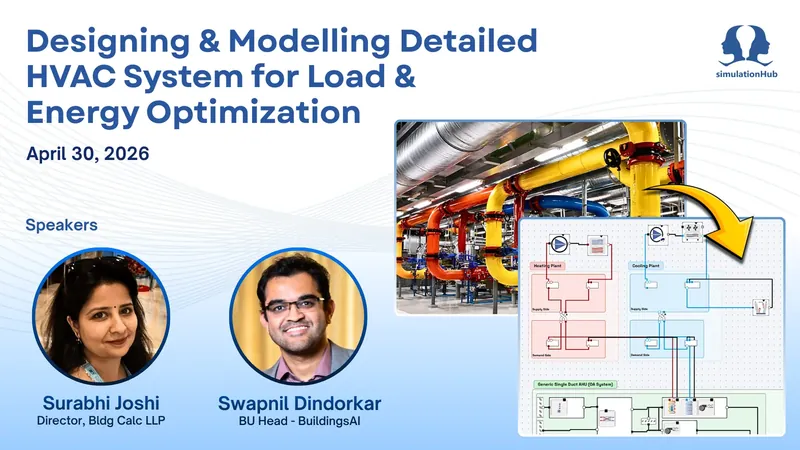
Watch this webinar to learn how the HVAC Canvas feature in Buildings AI enables seamless HVAC design and accurate energy simulation with AI-driven automation.Watch the recording
We value your privacy
We use cookies to make our website work. With your consent, we also use analytics cookies to understand how the website is used, and marketing cookies to measure our campaigns. See our Privacy Notice and Cookie Policy.